Quick Start
Five minutes from "plugin enabled" to projectiles in your own level.
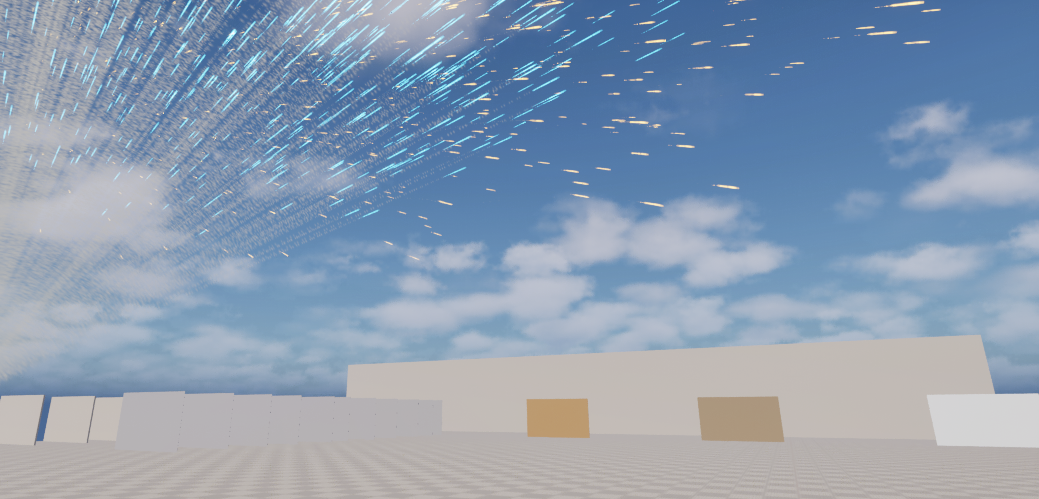
Play the demo
- In the Content Browser, open
/MassProjectileSubsystem/Demo/Maps/L_MassProjectileDemo. Enable Settings → Show Plugin Content if you cannot see the folder. - Press Play.
| Input | Action |
|---|---|
| Hold Left Mouse | Fire (900 rounds per minute) |
| Tab | Next projectile type: Rifle → Shell → Plasma |
| F | Stress volley (20,000 rounds at once) |
| R | Clear all projectiles |
| WASD / Q E / Mouse | Fly |
Things to try:
- Shoot the range walls at a shallow angle. Hard surfaces (metal, concrete) ricochet, and soft ones (wood) are penetrated. Each hit leaves a hole decal, and through-shots leave one on both faces.
- Press Tab to the Shell. It is slow and heavy, so gravity drop and smoke are obvious.
- Press F, then type
proj.Statsin the console (~ key) to see the active count and frame cost.
The demo is Blueprint-only. BP_DemoShooterPawn holds all the firing logic, and Tutorial 7 walks through it.
Fire in your own level (no Blueprint)
Any level works. The subsystem exists in every game world.
- Open your level and press Play.
- Open the console (~) and type:
proj.Fire 10 3
That fires 10 rounds of type 0 (Rifle) from the camera with a 3° spread. Full syntax:
proj.Fire [count=1] [spreadDeg=3] [type=0] [speedCm=0]
type is an index into Replicated Types (0 = Rifle, 1 = Shell, 2 = Plasma with the shipped settings). speedCm = 0 uses the type's default speed.
If nothing appears, see Troubleshooting.
Fire from a Blueprint in two nodes
In any Actor Blueprint (or the Level Blueprint):
- Right-click → search Fire Projectiles (category Mass Projectiles).
- Type Config: pick
EC_Projectile_Rifle. - Fire Event: drag out → Make Projectile Fire Event. Set Origin to a world location, Direction to a unit vector (for example Get Actor Forward Vector), and Count to
1. - Call it from an input event or a timer.
The full version (camera aim, muzzle offset, automatic fire) is in Tutorial 7. For a networked weapon, use the component in Tutorial 8.