Project Settings
The plugin adds two pages under Edit → Project Settings → Plugins. Both are saved to your project's Config/DefaultMassProjectileSubsystem.ini.
No asset is hardcoded. The defaults below come from the plugin's own Config/DefaultMassProjectileSubsystem.ini, and anything you assign here overrides them. Every asset either page points at is packaged automatically, so swapped-in systems, types, decals and sounds cook without being referenced from a map.
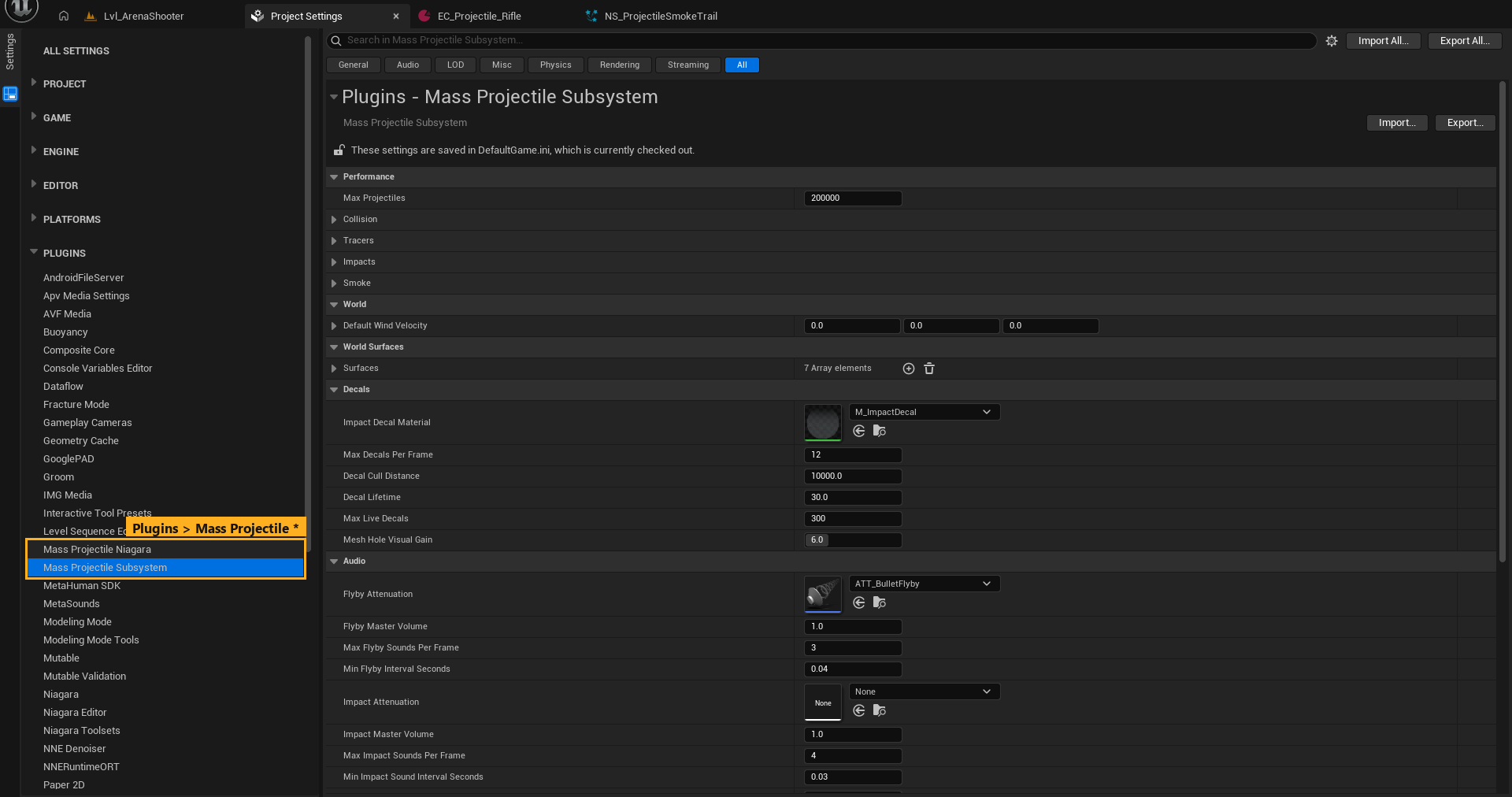
| Page | Class | Purpose |
|---|---|---|
| Mass Projectile Subsystem | UMassProjectileSettings |
World rules: budgets, surfaces, decals, audio, networking |
| Mass Projectile Niagara | UMassProjectileNiagaraSettings |
Which Niagara systems draw tracers, impacts and smoke |
Ammo (speed, damage, colour, sounds) is not set here. It lives on the projectile type assets. See Projectile Types.
Many fields have a runtime console override, listed in the CVar column. See Console Commands.
Mass Projectile Subsystem
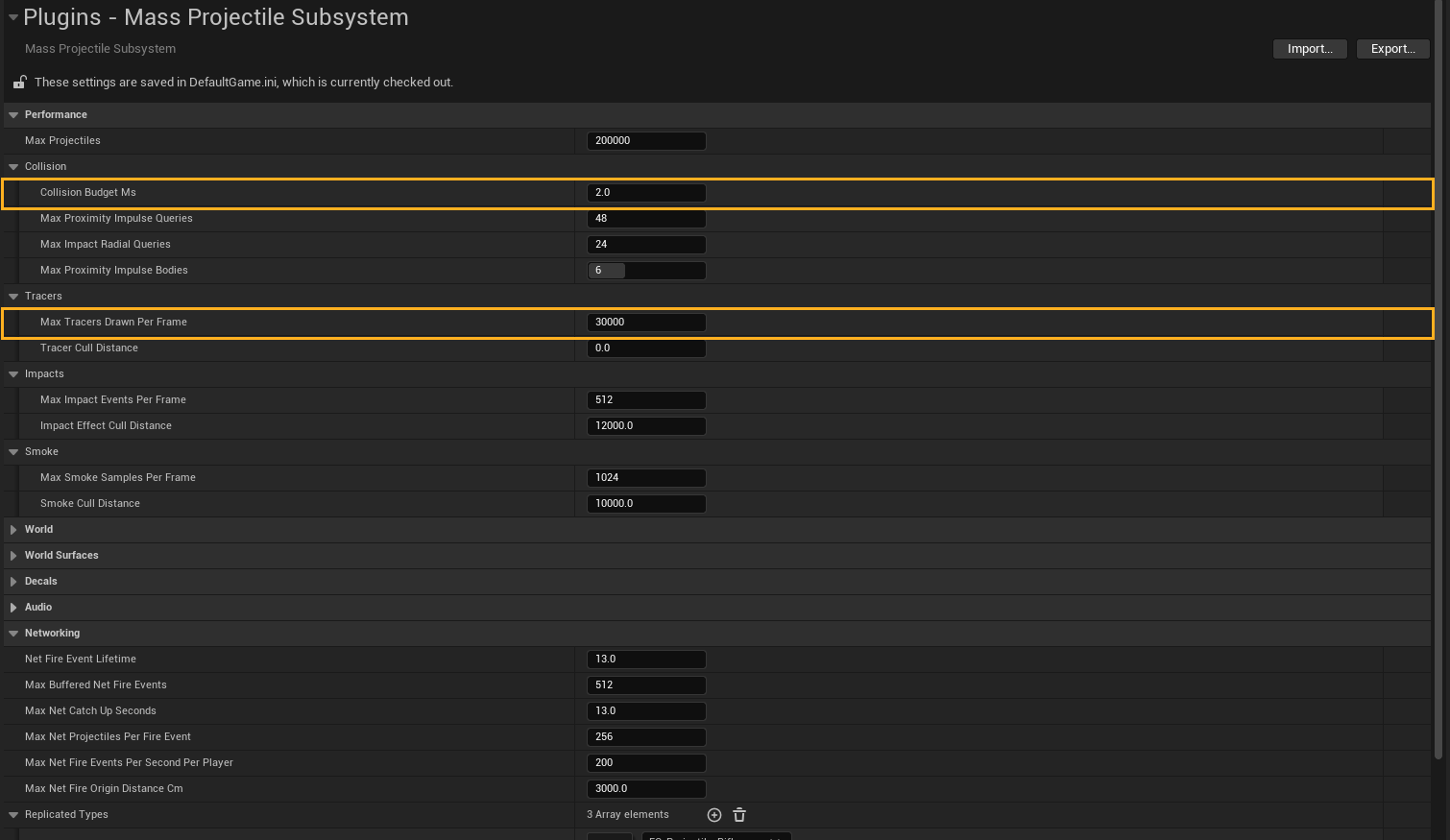
Performance
| Field | Default | Description | CVar |
|---|---|---|---|
| Max Projectiles | 200000 | Hard cap on simultaneously alive projectiles. Spawns beyond it are dropped. | — |
Performance › Collision
| Field | Default | Description | CVar |
|---|---|---|---|
| Collision Budget Ms | 2.0 | Target worker time for the collision pass. When a frame runs over, trace budgets shrink and far rounds trace less often; they recover when there is headroom. 0 = fixed budgets. |
proj.CollisionBudgetMs |
| Max Proximity Impulse Queries | 48 | Near-miss physics sweeps per frame (whole world, not per round). | — |
| Max Impact Radial Queries | 24 | Radial "shock" overlap queries per frame, closest hits first. | — |
| Max Proximity Impulse Bodies | 6 | Max simulating bodies pushed by one radial or near-miss query. | — |
Performance › Tracers
| Field | Default | Description | CVar |
|---|---|---|---|
| Max Tracers Drawn Per Frame | 30000 | Only the closest N projectiles are drawn; all of them keep simulating. An adaptive cull radius converges on this budget. 0 = draw every projectile. |
proj.TracerBudget |
| Tracer Cull Distance | 0 | Hard max tracer draw distance in cm. 0 = unlimited. |
proj.TracerCull |
Performance › Impacts
| Field | Default | Description |
|---|---|---|
| Max Impact Events Per Frame | 512 | Batched impact bursts (dust, sparks, debris) per frame, closest first. The rest get a cheap puff. |
| Impact Effect Cull Distance | 12000 | Hits farther than this (cm) from the viewer get no impact burst. |
Performance › Smoke
| Field | Default | Description | CVar |
|---|---|---|---|
| Max Smoke Samples Per Frame | 1024 | Lingering smoke puffs spawned per frame, closest first. Peak GPU sprites ≈ this × smoke lifetime × FPS. | proj.SmokeBudget |
| Smoke Cull Distance | 10000 | Default distance (cm) beyond which types stop emitting smoke. Types can override it on their Visual trait. | proj.SmokeCull |
World
| Field | Default | Description | CVar |
|---|---|---|---|
| Default Wind Velocity | 0,0,0 | Global wind (cm/s) that air drag works against. Wind Directional Source actors in the level are added on top. | proj.SetWind x y z |
World Surfaces
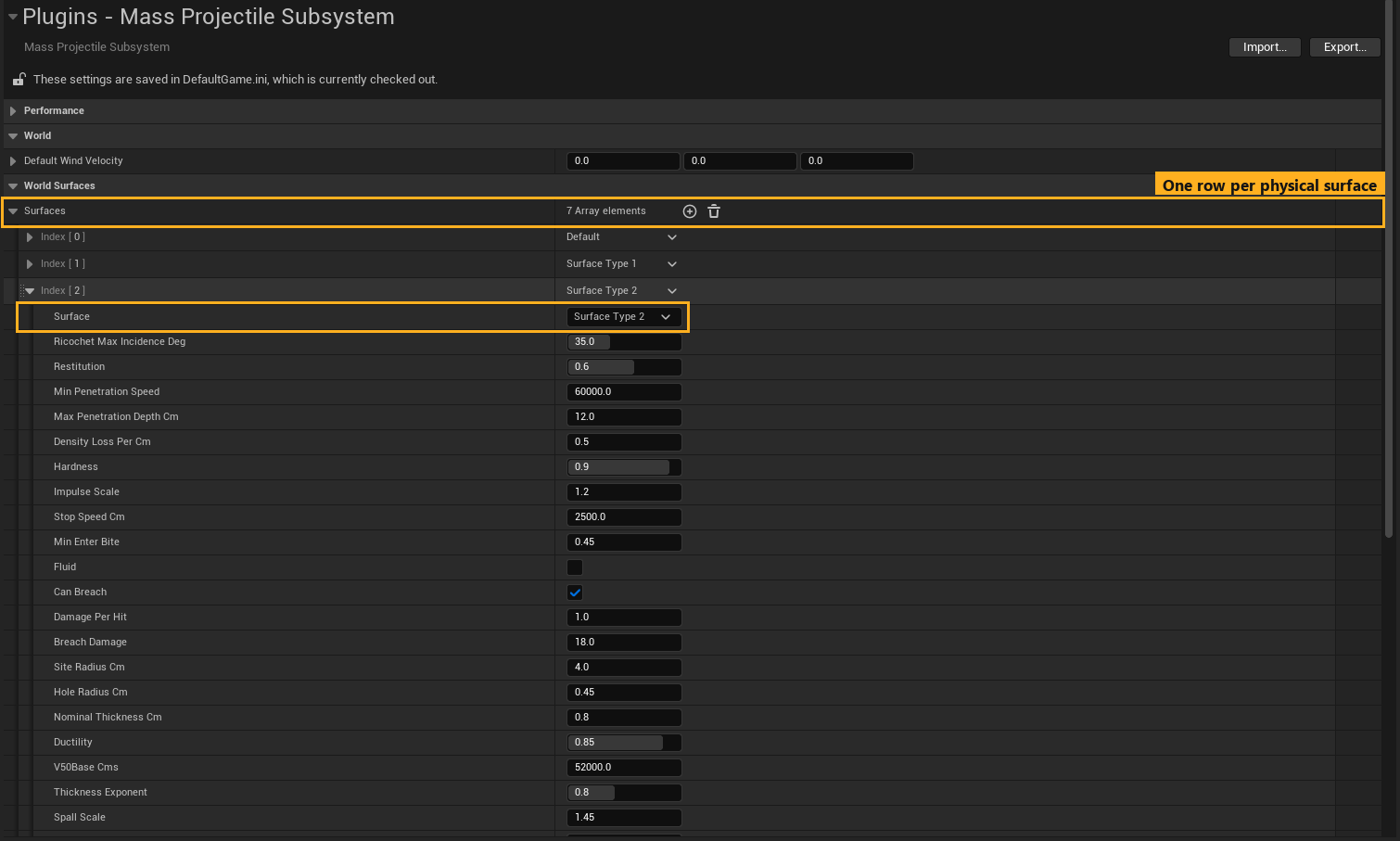
One row per physical surface: how that material reacts to any round (ricochet angle, penetration, ballistic limit, decal size). The Default row applies to every surface without its own row. The fields are explained in Physical Surfaces.
Decals
| Field | Default | Description |
|---|---|---|
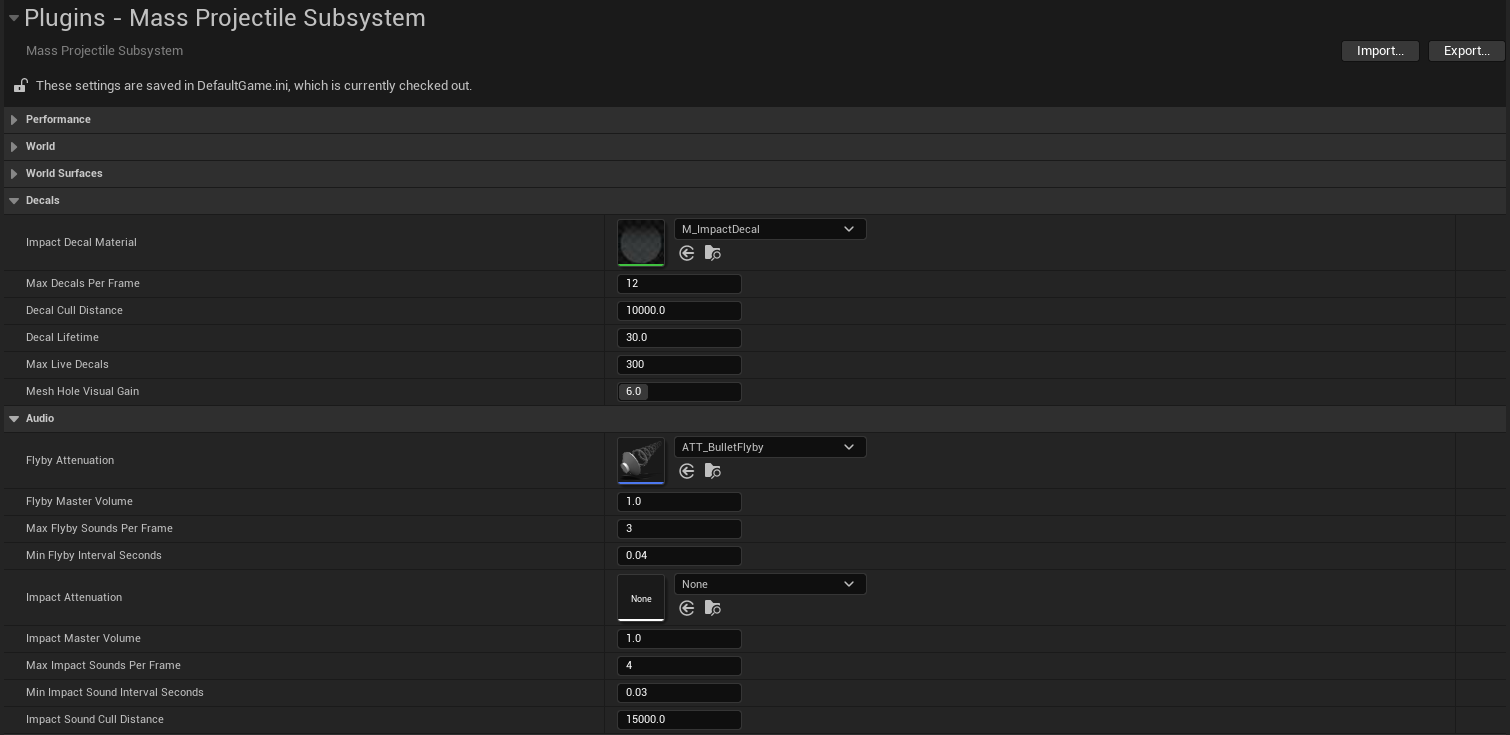
| Impact Decal Material | M_ImpactHoleDecal |
Fallback hole decal, tinted per surface by its Color vector parameter. Used when a type's Surface FX row leaves a decal slot empty. |
| Max Decals Per Frame | 12 | New decals per frame, closest to the viewer first. |
| Decal Cull Distance | 10000 | Hits farther than this (cm) from the viewer spawn no decal. |
| Decal Fade Screen Size | 0.0005 | Decals fade out once they cover less than this fraction of the screen. Raise it to hide small holes sooner; 0 = never fade by size. |
| Decal Lifetime | 30 | Seconds before a decal is removed. |
| Max Live Decals | 300 | Hard cap on live decal components; the oldest are destroyed first. 0 = lifetime only. |
| Mesh Hole Visual Gain | 6.0 | Multiplier from the physical caliber to the visible hole size, so a 7.62 mm hole still reads at FPS distances. Collision keeps the real size. |
Audio
| Field | Default | Description |
|---|---|---|
| Flyby Attenuation | ATT_BulletFlyby |
Spatialization for flyby whizzes when the type's Audio trait leaves its own attenuation empty. |
| Flyby Master Volume | 1.0 | Master volume for all flybys. |
| Max Flyby Sounds Per Frame | 3 | Flybys started per frame. |
| Min Flyby Interval Seconds | 0.04 | Minimum gap between frames that start flybys (prevents machine-gun whiz spam). |
| Impact Attenuation | None | Spatialization for impact/ricochet/exit sounds. Empty = Flyby Attenuation. |
| Impact Master Volume | 1.0 | Master volume for impact sounds. |
| Max Impact Sounds Per Frame | 4 | Impact sounds started per frame, closest hits first. |
| Min Impact Sound Interval Seconds | 0.03 | Minimum gap between frames that start impact sounds. |
| Impact Sound Cull Distance | 15000 | Hits farther than this (cm) from the listener are silent. |
Networking
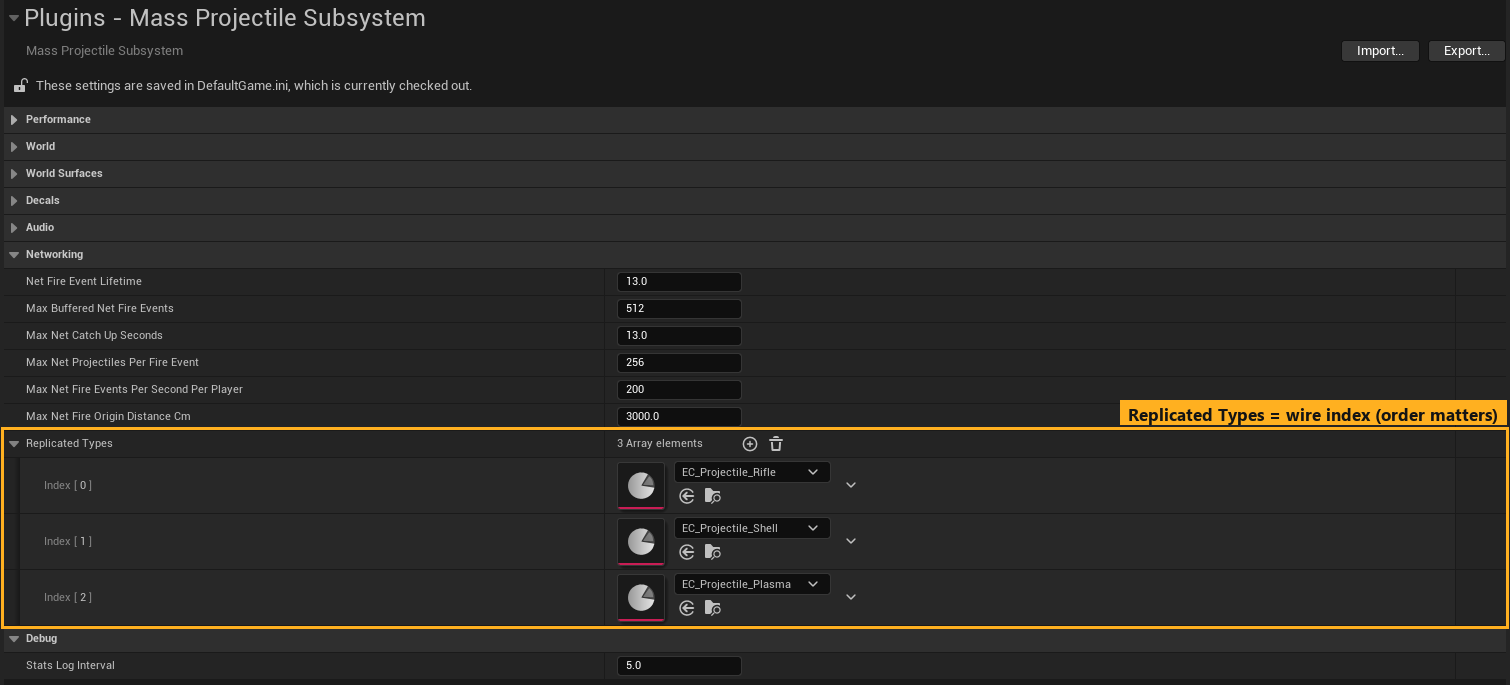
| Field | Default | Description |
|---|---|---|
| Net Fire Event Lifetime | 13 | Seconds a replicated fire event stays in the buffer. This is also the late-join catch-up window. Keep it ≥ your longest Max Lifetime. |
| Max Buffered Net Fire Events | 512 | Buffer cap (oldest dropped first). Bounds the join-in-progress payload. |
| Max Net Catch Up Seconds | 13 | Max seconds a client fast-forwards a late-arriving shot. |
| Max Net Projectiles Per Fire Event | 256 | Server check: max rounds in one client fire RPC (pellets × rounds batched in one frame). A violating client is disconnected. |
| Max Net Fire Events Per Second Per Player | 200 | Server rate limit. Excess events are dropped, not kicked. |
| Max Net Fire Origin Distance Cm | 3000 | Server check: shots whose muzzle is farther than this from the shooter are dropped (anti teleport-fire). 0 disables. |
| Replicated Types | Rifle, Shell, Plasma | Types that can travel over the network. Array order is the wire index and must match on server and clients. Listed types are preloaded at level load. |
Rules for Replicated Types
- Add every type a client can fire. A client firing an unlisted type spawns nothing (the log warns once); only the server can fire unlisted types.
- Append new types at the end. Reordering changes the index of existing types, which only matters if server and client builds differ.
- Standalone games may leave it empty. Listing a type still preloads it so the first shot does not hitch.
Debug
| Field | Default | Description |
|---|---|---|
| Stats Log Interval | 0 | Seconds between PERF lines in the log (LogMassProjectiles). 0 (default) disables; try 5 while profiling. |
| Debug Paths | Off | Draws every projectile's path coloured by speed (green full, yellow half, red spent; magenta inside a penetrated material) with hit markers (blue enter, cyan exit, yellow ricochet, red stop). Paths and Speeds also prints the speed at each hit. Takes effect live, even during play. Development builds only. CVar proj.DebugPaths. |
| Debug Paths Duration | 3 | Seconds each path line stays up (game time, so longer in slow motion). CVar proj.DebugPathsDuration. |
| Debug Paths Max | 500 | Path spans recorded per frame, so a mass swarm cannot flood the screen. CVar proj.DebugPathsMax. |
Mass Projectile Niagara
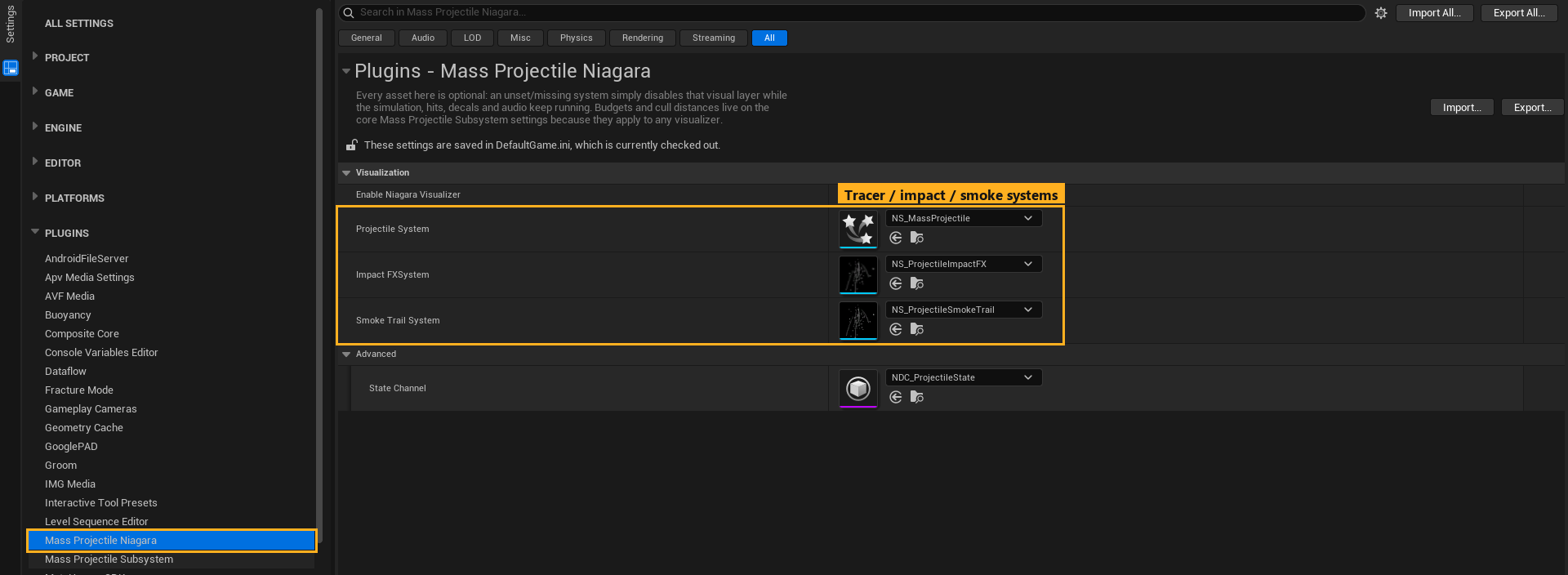
Every slot is optional. An empty or missing system disables only that visual layer; simulation, hits, decals and audio keep running.
| Field | Default | Description |
|---|---|---|
| Enable Niagara Visualizer | ✔ | Master switch. Off = no Niagara components are created (headless, or when you use a custom visualizer). |
| Projectile System | NS_MassProjectile |
Tracers. One component instance per projectile type, all using this asset with different User.* values. |
| Impact FX System | NS_ProjectileImpactFX |
All impact bursts in the world, in one instance. Empty = a cheap per-type puff from the Projectile System. |
| Smoke Trail System | NS_ProjectileSmokeTrail |
Lingering smoke puffs that keep dissolving after the round is gone. |
| Default Bullet Mesh Material | M_ProjectileMesh |
Used for mesh bullets whose type sets neither Bullet Mesh Material nor a mesh with its own material. Needs Used with Niagara Mesh Particles. |
| State Channel (Advanced) | NDC_ProjectileState |
Niagara Data Channel written only when proj.UseNDC 1. The shipped systems do not need it. |
After you change a slot during a play session, run proj.ReloadAssets, or restart PIE.
To replace the shipped look, see Visuals and Niagara.