Projectile Types
A projectile type is everything about one kind of ammunition: how it flies, what it damages, how it looks and sounds. Each type is a Mass Entity Config asset built from projectile traits.
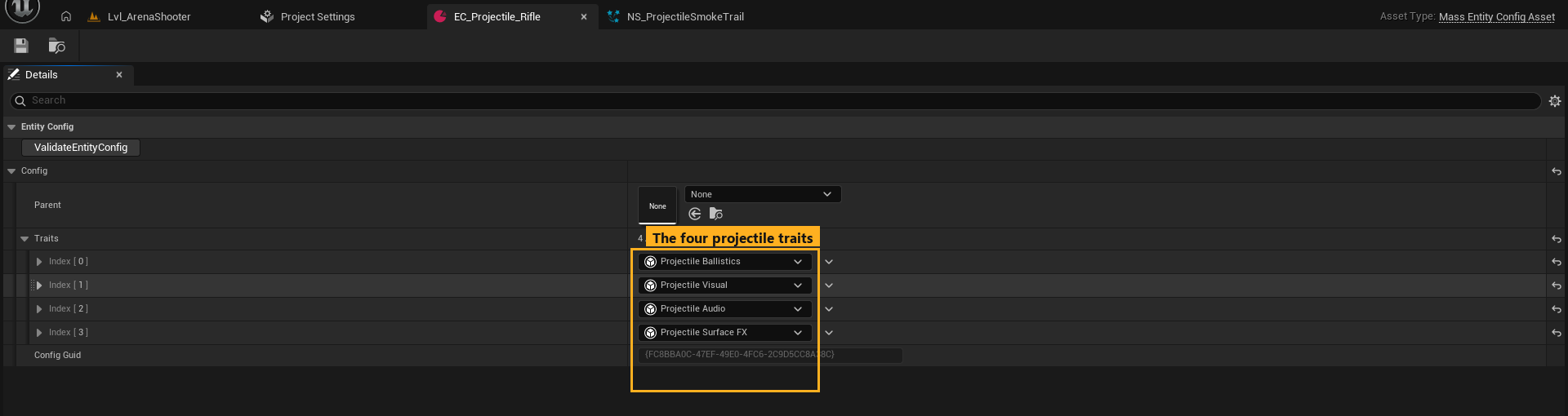
| Shipped type | Character |
|---|---|
EC_Projectile_Rifle |
Fast (≈ 800 m/s), flat trajectory, good penetration, thin orange tracer |
EC_Projectile_Shell |
Slow, heavy, visible drop, thick smoke |
EC_Projectile_Plasma |
Bright energy bolt, diamond mesh body |
All three live in /MassProjectileSubsystem/Types/.
Create a new type
Option A — duplicate a shipped type (recommended)
- In the Content Browser, right-click
EC_Projectile_Rifle→ Duplicate. - Move it into your own folder (for example
/Game/Projectiles/EC_Projectile_Sniper) so plugin updates never overwrite it. - Open it and change the traits (below).
Option B — create from scratch
- Right-click in the Content Browser → Miscellaneous → Data Asset.
- Pick Mass Entity Config Asset as the class and name it
EC_Projectile_<Name>. - Open it and, under Config → Traits, press + four times. Set the elements to Projectile Ballistics, Projectile Visual, Projectile Audio and Projectile Surface FX.
Only Projectile Ballistics is required. A type without it cannot be fired, and Register Type Config returns -1.
Use it
- Pass it as Type Config to Spawn Projectiles / Fire Projectiles, or assign it as Projectile Type on a Mass Projectile Fire component.
- For multiplayer, also add it to Project Settings → Mass Projectile Subsystem → Networking → Replicated Types.
Edits to a type apply the next time the world starts (PIE restart). Types are registered once per world.
Projectile Ballistics
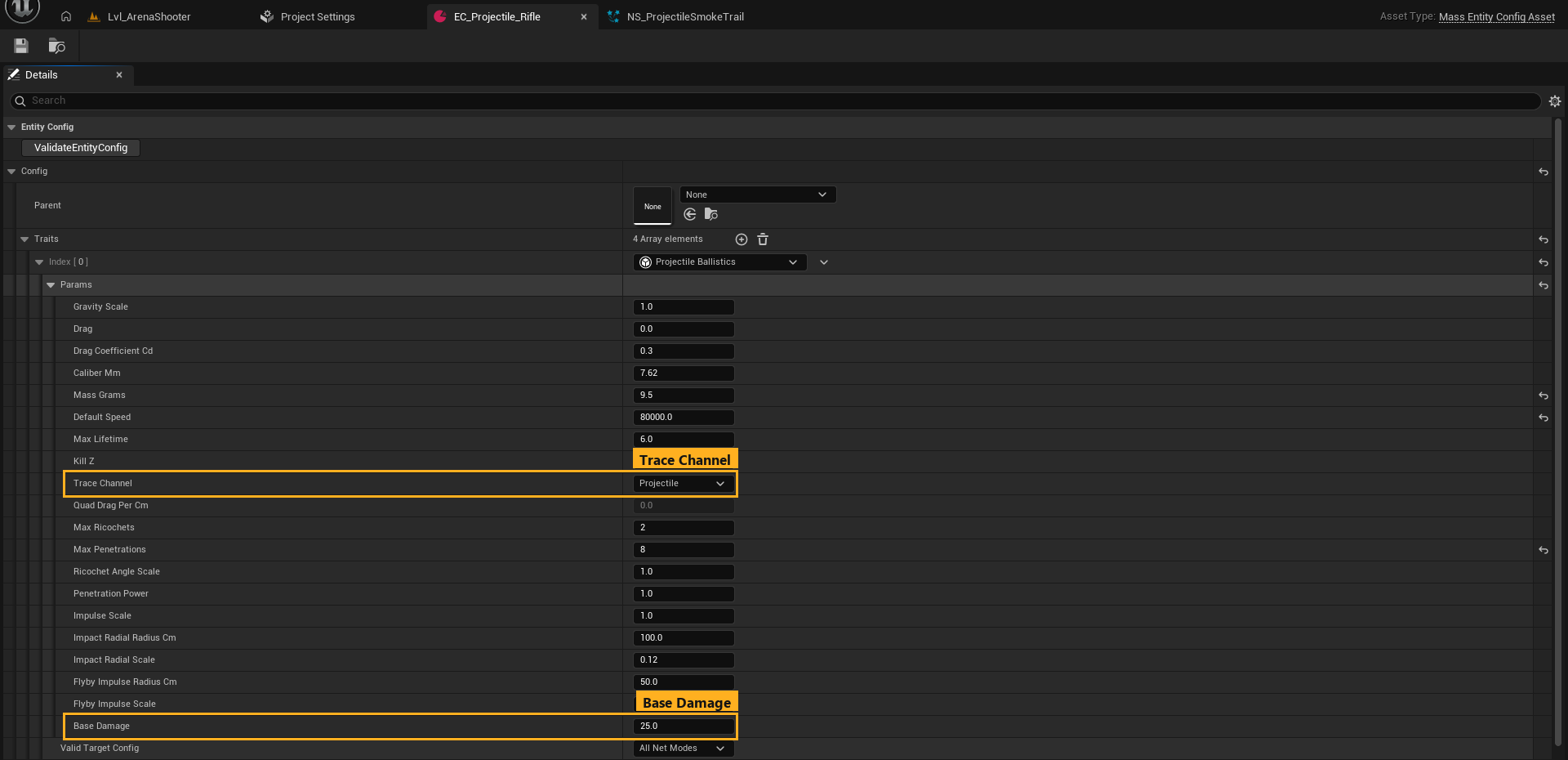
Flight
| Field | Default | Description |
|---|---|---|
| Gravity Scale | 1.0 | Multiplier on world gravity (980 cm/s²). 0 = straight line. |
| Drag | 0.0 | Extra linear drag (1/s). Usually 0; realistic drag comes from the three fields below. |
| Drag Coefficient Cd | 0.3 | Aerodynamic drag coefficient (~0.3 pointed bullet, ~0.47 sphere, 0 = vacuum). |
| Caliber Mm | 7.62 | Diameter. With Cd and mass this defines quadratic air drag and hole size. |
| Mass Grams | 8.0 | Heavier rounds lose speed more slowly and carry more momentum into hits. |
| Default Speed | 30000 | Muzzle speed in cm/s when the fire event's Speed is 0. (Rifle ships at 80000.) |
| Max Lifetime | 6.0 | Seconds before the round despawns. |
| Kill Z | -20000 | Rounds below this world Z are destroyed. |
| Trace Channel | Projectile | Collision channel the round traces on. See Installation, Step 3. |
| Quad Drag Per Cm | (read only) | Derived drag constant, shown for reference. |
Impact
| Field | Default | Description |
|---|---|---|
| Max Ricochets | 2 | Bounces per round. 0 disables ricochet for this type. |
| Max Penetrations | 2 | Materials a round may pass through. 0 disables penetration. |
| Ricochet Angle Scale | 1.0 | Scales every surface's ricochet angle window (>1 ricochets more easily). |
| Penetration Power | 1.0 | Divides each surface's per-cm speed loss (>1 penetrates deeper; AP rounds). |
| Impulse Scale | 1.0 | Multiplier on the physics impulse given to simulating bodies (1 = real momentum). |
| Impact Radial Radius Cm | 100 | Radius of a weaker radial push around each hit. 0 disables. |
| Impact Radial Scale | 0.12 | Radial push strength relative to the direct hit. |
| Flyby Impulse Radius Cm | 50 | Near misses nudge simulating bodies within this radius. 0 disables. |
| Flyby Impulse Scale | 0.08 | Near-miss push strength as a fraction of momentum. |
Damage
| Field | Default | Description |
|---|---|---|
| Base Damage | 25 | Copied to Damage on every hit event. Feed it to Apply Damage. See Hits and Damage. |
Projectile Visual
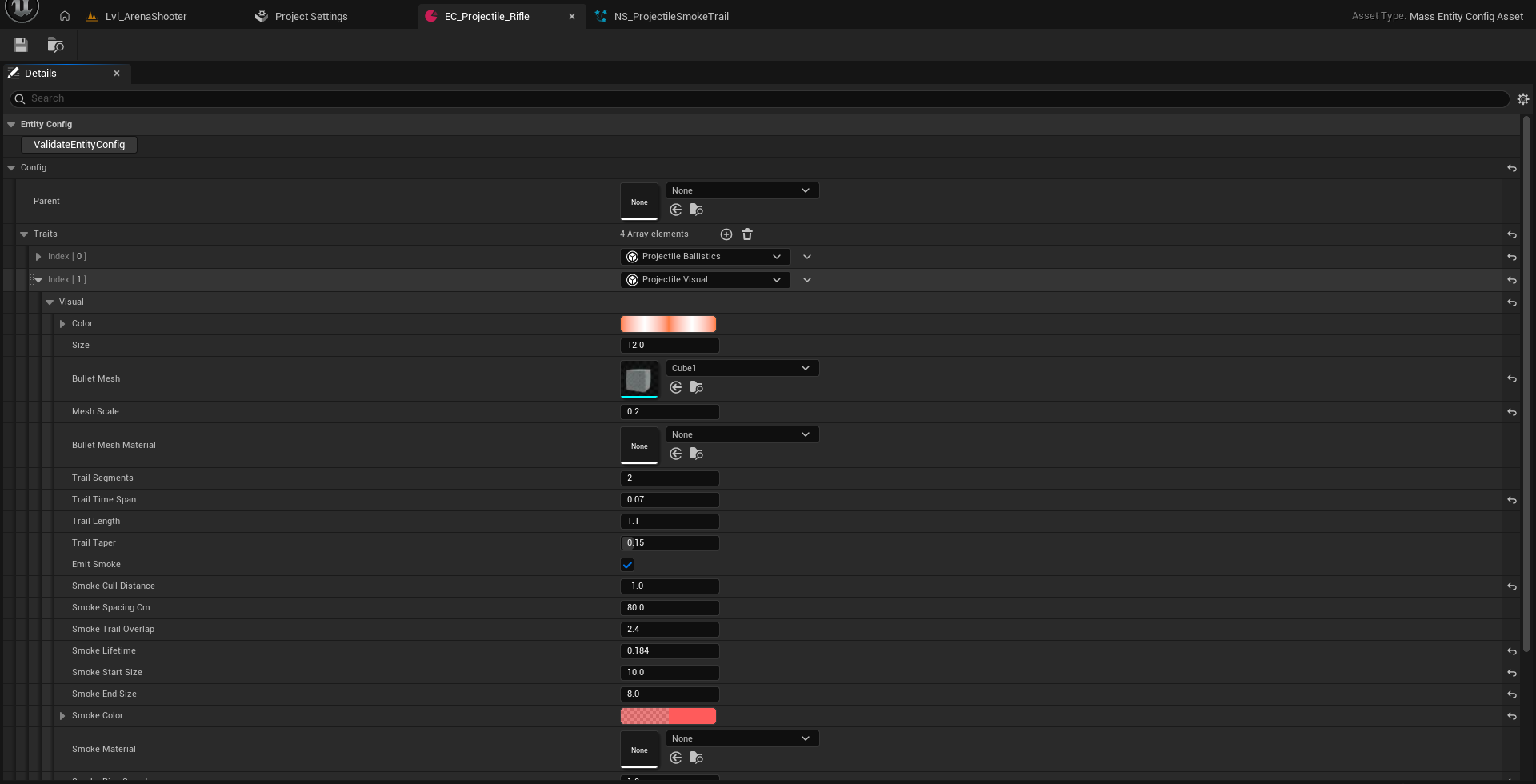
The type does not own a Niagara asset. It sets the parameters of the shared systems chosen in Project Settings → Mass Projectile Niagara, so a new type costs no new Niagara asset.
Tracer
| Field | Default | Description |
|---|---|---|
| Color | (20, 4, 1) | HDR tracer colour. Values above 1 bloom. |
| Size | 12 | Tracer size in cm; also scales trail width. |
| Bullet Mesh | None | Optional solid body drawn by the tracer system's GPU mesh renderer (needs proj.CreateNiagaraMeshRenderer once). |
| Mesh Scale | 1.0 | Multiplier on the mesh renderer's base scale. |
| Bullet Mesh Material | None | Override material for the mesh. Needs Used with Niagara Mesh Particles. |
| Trail Segments | 2 | Sprites per round. 1 = one streak; more = a longer tapering trail along the ballistic curve. |
| Trail Time Span | 0.08 | Seconds of past flight the trail covers. |
| Trail Length | 1.1 | Per-segment length multiplier (>1 overlaps segments). |
| Trail Taper | 0.15 | Tail width as a fraction of head width. |
Smoke
| Field | Default | Description |
|---|---|---|
| Emit Smoke | ✔ | Drop lingering smoke puffs along the path. |
| Smoke Cull Distance | 0 | 0 = use the Project Settings value, -1 = always emit, >0 = this type's own radius in cm. |
| Smoke Spacing Cm | 80 | Max length of one stretched puff slice. |
| Smoke Trail Overlap | 2.4 | Puff length multiplier so round textures connect (≥ 2.2 for soft puffs). |
| Smoke Lifetime | 2.5 | Seconds each puff lives. |
| Smoke Start Size / End Size | 28 / 72 | Puff width at spawn and at death (cm). |
| Smoke Color | grey, 0.65 α | Tint (LDR). |
| Smoke Material | None | Optional sprite material override. Each distinct material adds one Niagara instance; types that share one (or none) share an instance. Needs Used with Niagara Sprites. |
| Smoke Rise Speed | 40 | Upward drift (cm/s). |
| Smoke Wind Scale | 1.0 | How much the global wind moves this type's smoke. |
| Smoke Turbulence | 80 | Sideways boil that grows as the puff ages. |
Projectile Audio
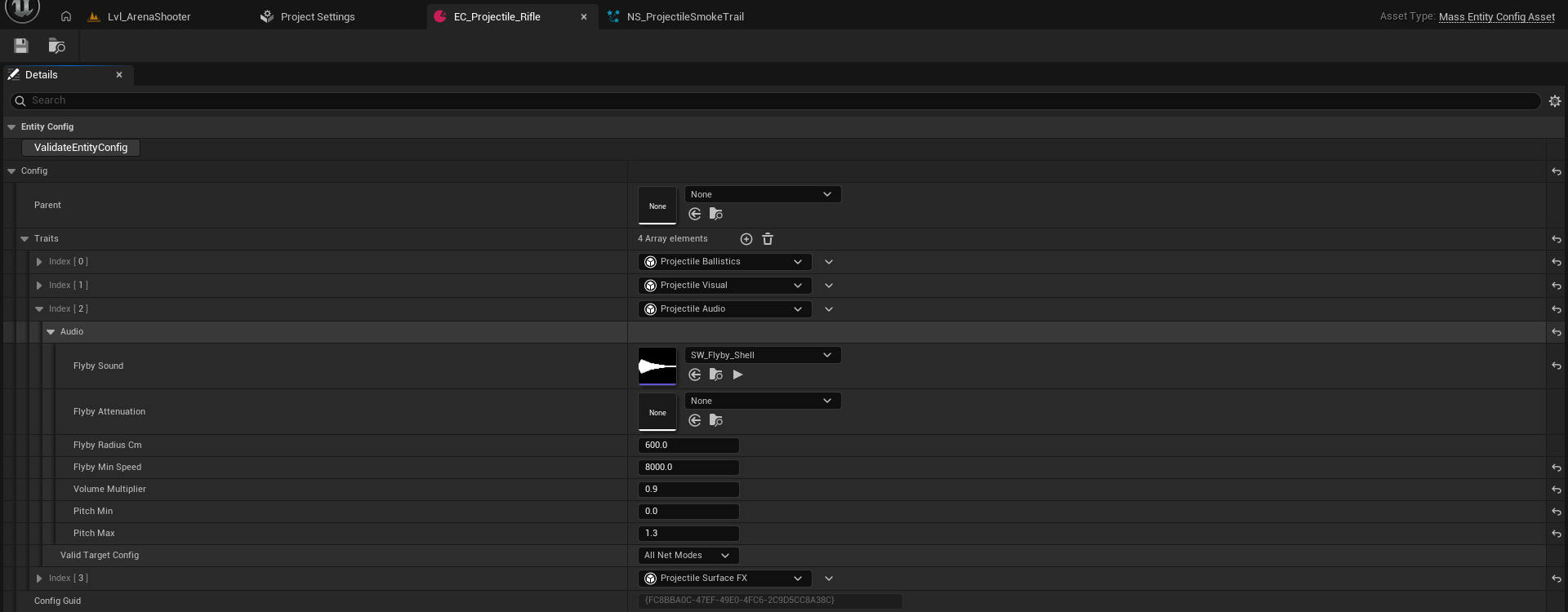
| Field | Default | Description |
|---|---|---|
| Flyby Sound | None | Whiz/crack when the round passes the listener. SoundWave, SoundCue or MetaSound. |
| Flyby Attenuation | None | Per-type spatialization. Empty = Project Settings Flyby Attenuation. |
| Flyby Radius Cm | 600 | Passing distance that triggers the flyby. 0 disables. |
| Flyby Min Speed | 6000 | Rounds slower than this (cm/s) make no flyby sound and no near-miss push. |
| Volume Multiplier | 1.0 | Per-type volume (on top of the master volume). |
| Pitch Min / Max | 0.9 / 1.2 | Random pitch range per flyby. |
Global rate limits (sounds per frame, minimum interval) are in Project Settings → Audio.
Projectile Surface FX
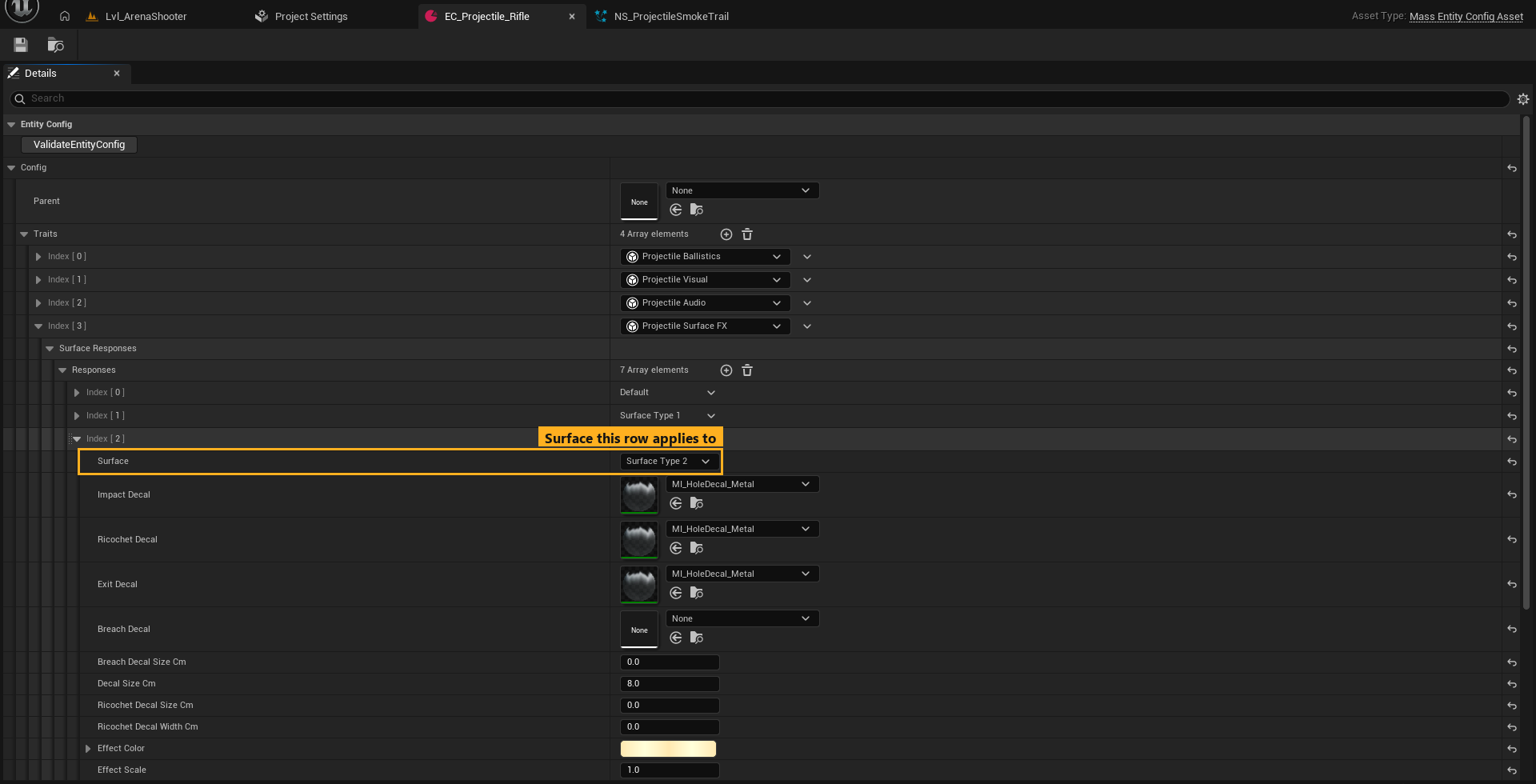
A list of Responses, one row per physical surface. This controls what this round looks and sounds like on each material. The physics (does it ricochet?) comes from World Surfaces.
| Field | Description |
|---|---|
| Surface | Physical surface this row applies to. The Default row is the fallback for every surface without its own row. |
| Impact Decal | Decal for absorbed hits and penetration entry holes. |
| Ricochet Decal | Scuff for ricochets. Never falls back to a hole; empty = no scuff. |
| Exit Decal | Decal for penetration exit holes. |
| Breach Decal / Breach Decal Size Cm | Bore left on both faces of a through-shot. Empty = the Exit Decal. Size 0 = Decal Size Cm. |
| Decal Size Cm | Size for this type on this surface. 0 = the surface's size from World Surfaces. |
| Ricochet Decal Size / Width Cm | Scuff length and width. 0 = derived from the surface. |
| Effect Color / Effect Scale | Tint and size of this hit's burst in the Impact FX system (values above 1 bloom). |
| Impact / Ricochet / Exit Sound | One-shot sounds for each impact type. Empty = silent. |
How fallback works: a surface row inherits any empty decal or sound slot from the Default row. If Impact/Exit are empty everywhere, the global Impact Decal Material is used, tinted by the surface's Decal Color. Ricochet decals never fall back to a hole material.
The shipped types use the same two decals on every surface: M_ImpactHoleDecal for Impact/Exit and M_ProjectileBoreDecal for Breach, with Ricochet left empty (bounces leave no mark). For a custom look, create material instances of those two (or your own deferred-decal materials) in your own folder, retint them, and point your rows at the copies.
Recipe: a sniper round
- Duplicate
EC_Projectile_Rifle→/Game/Projectiles/EC_Projectile_Sniper. - Ballistics: Default Speed
95000, Mass Grams13, Caliber Mm8.6, Penetration Power2.0, Max Penetrations3, Base Damage90. - Visual: Size
8, Trail Segments4, Trail Time Span0.12, Smoke Lifetime4. - Audio: a sharper crack, Flyby Radius Cm
900. - Add it to Replicated Types (append at the end).
- Assign it to your weapon.